People Curve

People Curve

See how employee churn unfolds over time. The People Curve is a no-code employee churn curve tool that shows how long employees typically remain at a company before leaving—aligned by tenure, not calendar date.

Build and explore your own curves in three simple steps:

  1. Upload your Excel file
  2. Choose your measurement date and cohort settings (start date, termination date, and employee ID)
  3. Use Curve Builder to filter columns (such as department, role, or location) and reveal trends

If you can use a spreadsheet, you can use Dark Sky Data.

We never store your data—uploads are processed in-session only and permanently deleted after each use.

Use Cases for the People Curve Analytics Tool


VSC and Home Warranty Marketers


Analyze workforce churn during diligence and post-acquisition. Identify early-tenure attrition risks and compare retention across teams.


Warranty Administrators


Analyze workforce stability across claims, administration, and service teams. Identify early-tenure attrition and compare retention patterns by department or dealership.


Private Equity Firms


Analyze workforce churn during diligence and post-acquisition. Identify early-tenure attrition risks and compare retention across teams and operating companies.


Benefits

TIME

Build a People Curve with filters in under 60 seconds

Skip the 10+ hours it takes to do it manually in Excel

ACCURACY AT $50/MO

Remove human error with automated calculations

Trust every curve—logic is transparent and repeatable

FLEXIBILITY

Filter on any field in your dataset

Works with your structure—no need to reformat files

How It Works

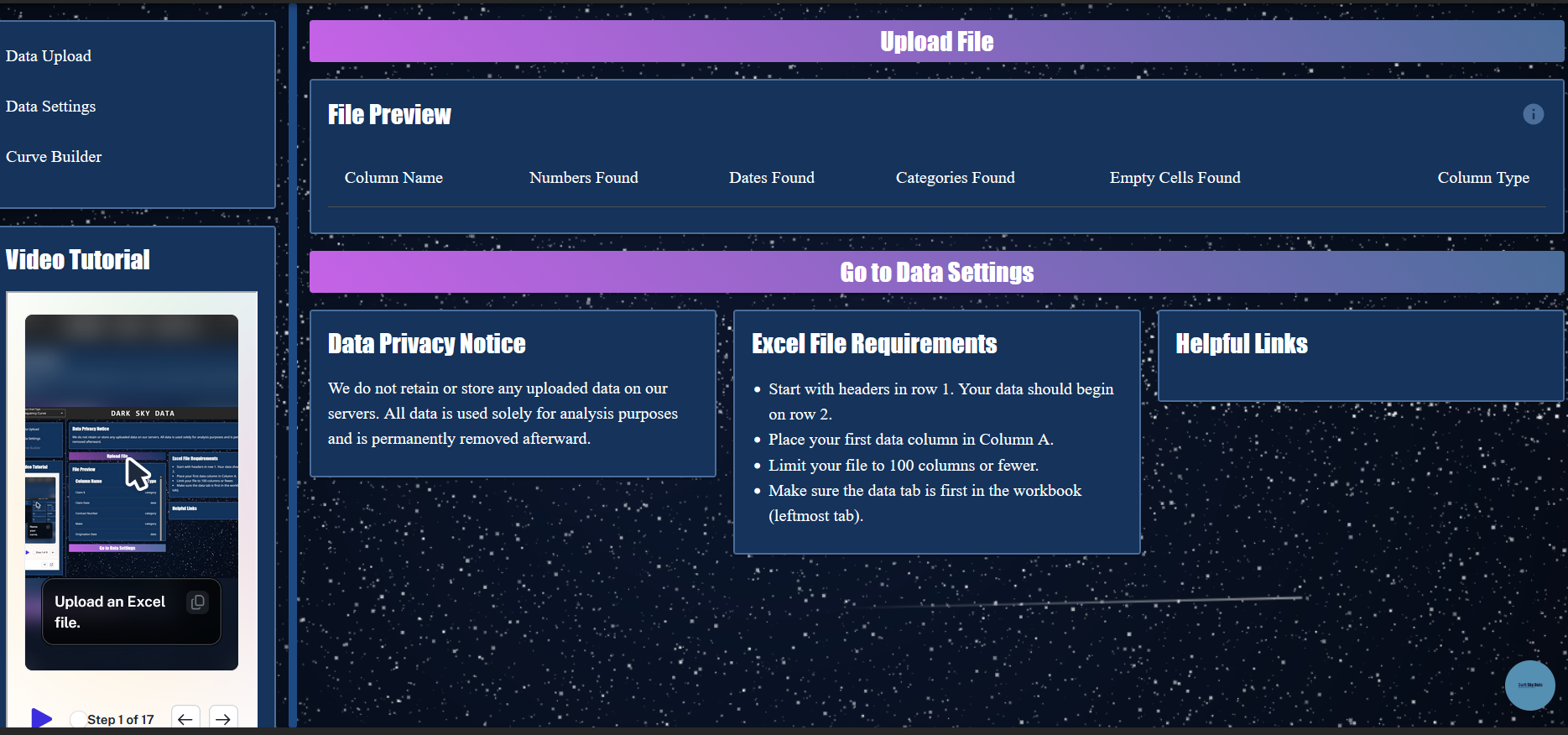
Step 1: Upload

Drop in your Excel —no formatting required.

Big files? No problem. Just make sure the data is in the first tab.

Not sure what to upload? Use our example data.
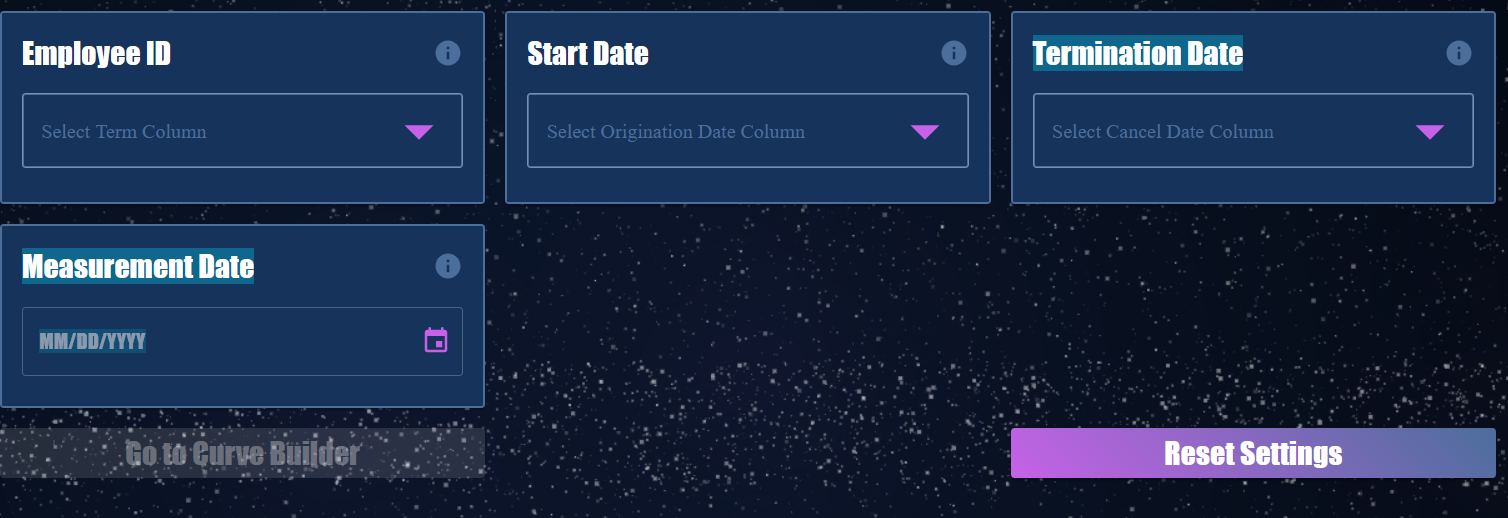
Step 2: SET FIELDS AND FILTERS

Turn any column into a filter.

Compare churn by office or department.
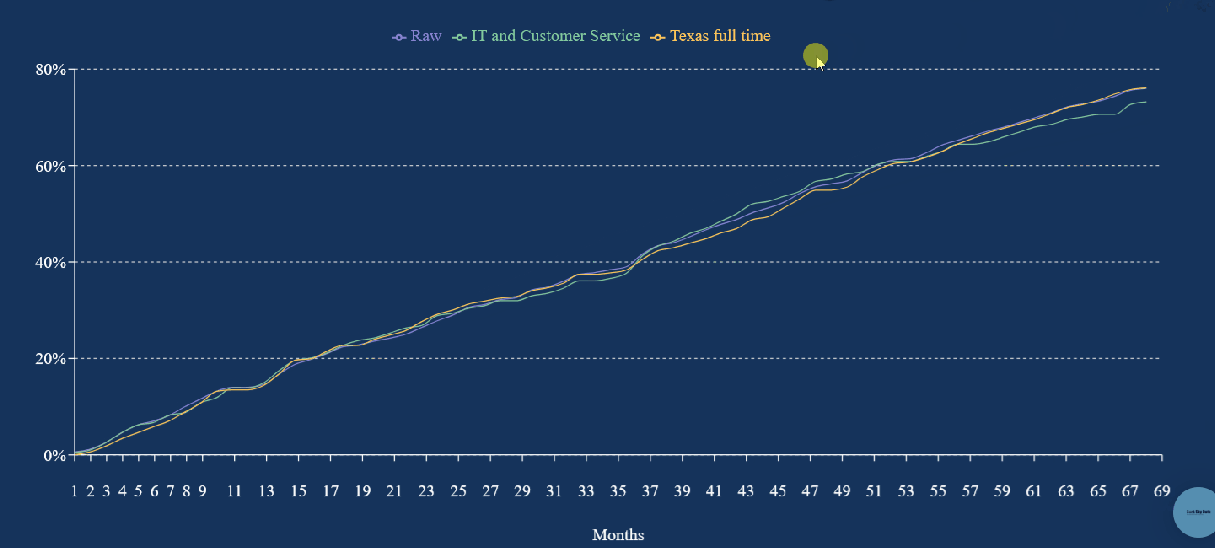
Step 3: Build Curves

The curve builds itself—automatically and instantly.

Hover to reveal exact values with interactive tooltips.

Compare up to five filtered curves side-by-side, ready to explore or export.

Ready to Unlock the Power of Your Data with our people curve analytics tools?
We can transform your data into a competitive advantage.

Frequently Asked Questions

What is a People Curve Analytics Tool?
A People Curve Analytics Tool lets you visualize how employee churn unfolds over time by aligning all employees to a shared starting point: their hire date. This means employees hired in different months or years all begin at Month 1 on the curve, making it easy to compare retention and attrition patterns across cohorts—without relying on calendar-based reports. No code or formulas are required; just upload your file and go.

Who should use this tool?
Business users in operations, private equity, and workforce management teams use the People Curve to get fast, clear insight into employee churn and retention—without waiting on analysts or technical resources.

What kind of data do I need to get started?
You’ll need an Excel file that includes a unique employee identifier, a start date, and a termination date (if applicable). To refine your analysis, you can also include additional columns such as department, role, location, or manager for cohort comparisons.

Why is it so hard to build People Curves in Excel?
Excel wasn’t built for scalable tenure-based analysis. When working with large employee datasets, tracking churn by hire date requires complex formulas, helper columns, and constant rework—especially when filtering by teams or roles. Each new view often means rebuilding the logic from scratch.

What makes this People Curve analytics tool different?
Our tool removes manual effort from employee churn analysis. Upload your data, choose your filters, and instantly visualize retention and attrition by tenure. It runs fast, handles large datasets, and avoids the errors and performance issues common in spreadsheet-based analysis.

Do I need a data science background to use it?
Not at all. We built the People Curve Analytics Tool for non-technical users. Whether you're in marketing, finance, or due diligence, you can drag, drop, and filter your way to insights—no data science degree or SQL skills required.