
See when prospects respond, not just how many respond.
Marketing Response Curves turn campaign and response data into time-aligned views that show how responses develop after outreach. Compare performance across campaigns, offers, channels, mail houses, lead providers, or other meaningful segments in your data.
Use Marketing Response Curves to:

- Compare response behavior across campaigns and audience segments
- See when responses begin arriving and how activity develops over time
- Identify campaigns, offers, or channels with stronger or weaker response patterns
- Evaluate response timing to inform follow-up strategies
- Explore the underlying data behind each curve
- Build repeatable comparisons without recreating the analysis manually in Excel
Upload your Excel file, select the fields you want to analyze, and build response curves from your existing campaign data.
No code. No formulas. Just a clearer view of when and how prospects respond.
Your data is never stored—uploads are processed in-session and permanently deleted after each use.
Step 1: Upload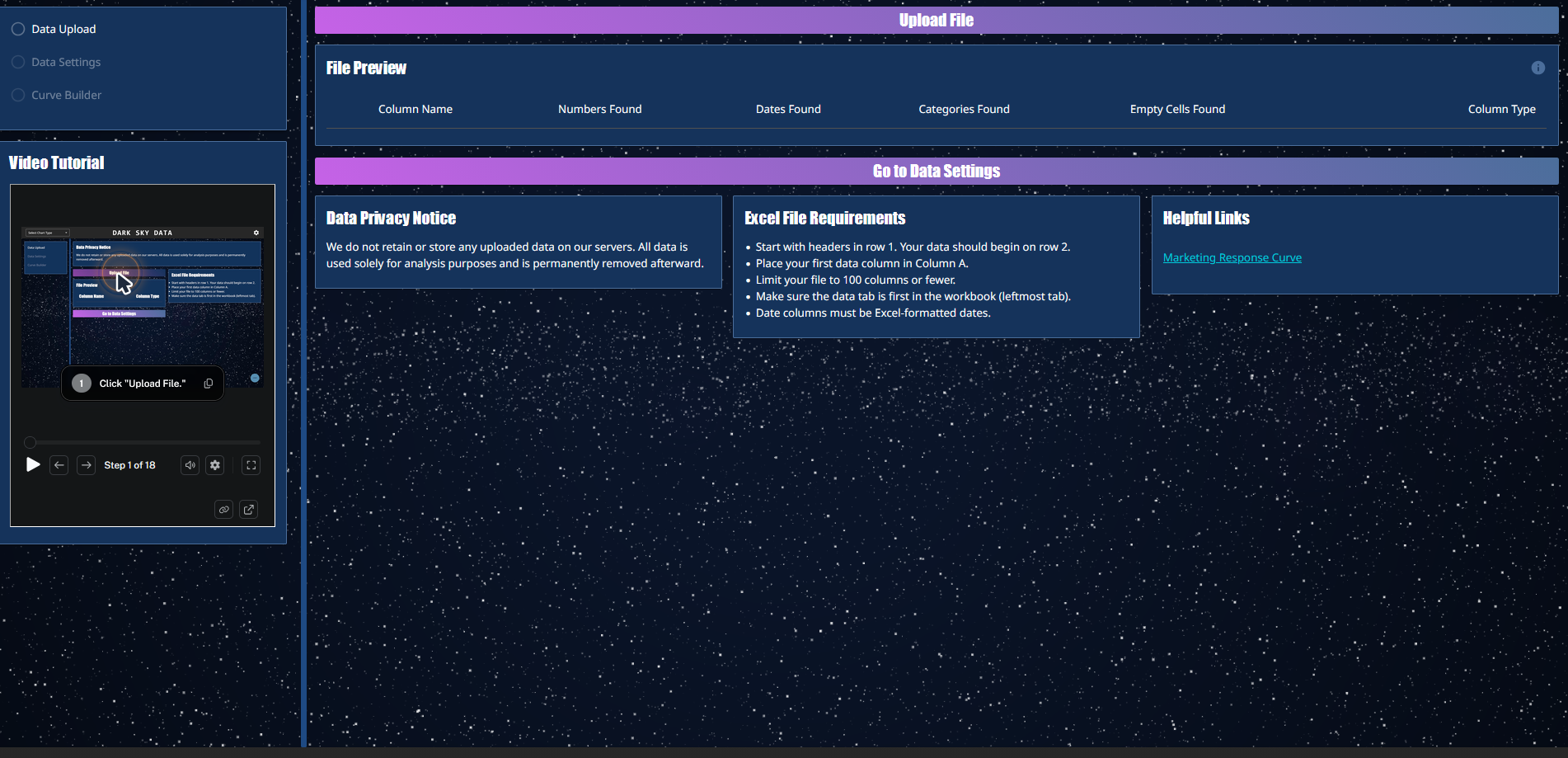
Upload your Excel file containing the campaign and response data you want to analyze.
Once your data is loaded, you can select the fields needed to build your Marketing Response Curves.
Not sure what to upload? Use our example data.
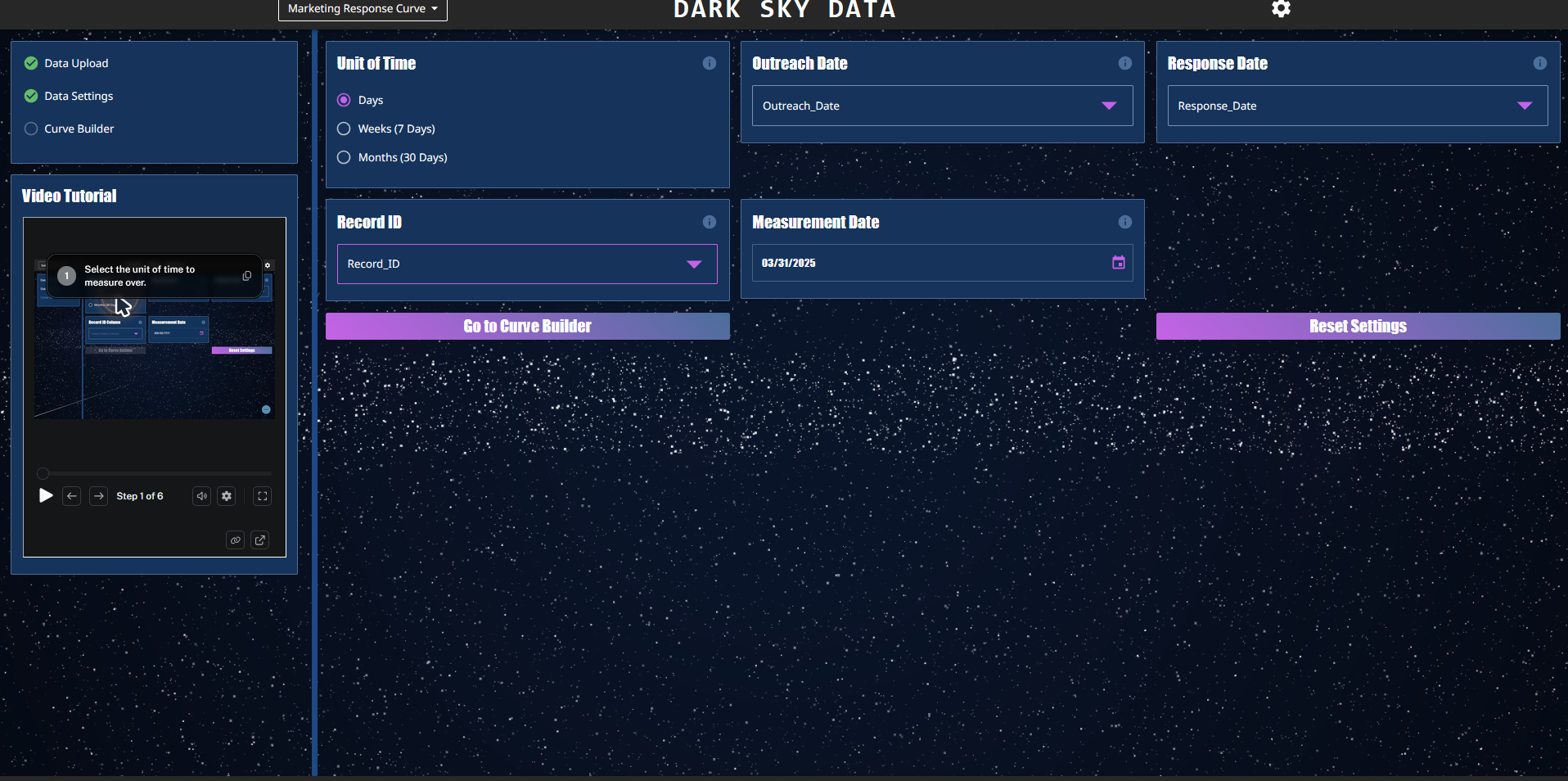
Step 2: SET FIELDS AND FILTERS
Choose your response dates, time intervals, and the fields you want to compare.
Filter and group results by campaigns, offers, channels, mail houses, lead sources, or other segments in your dataset.
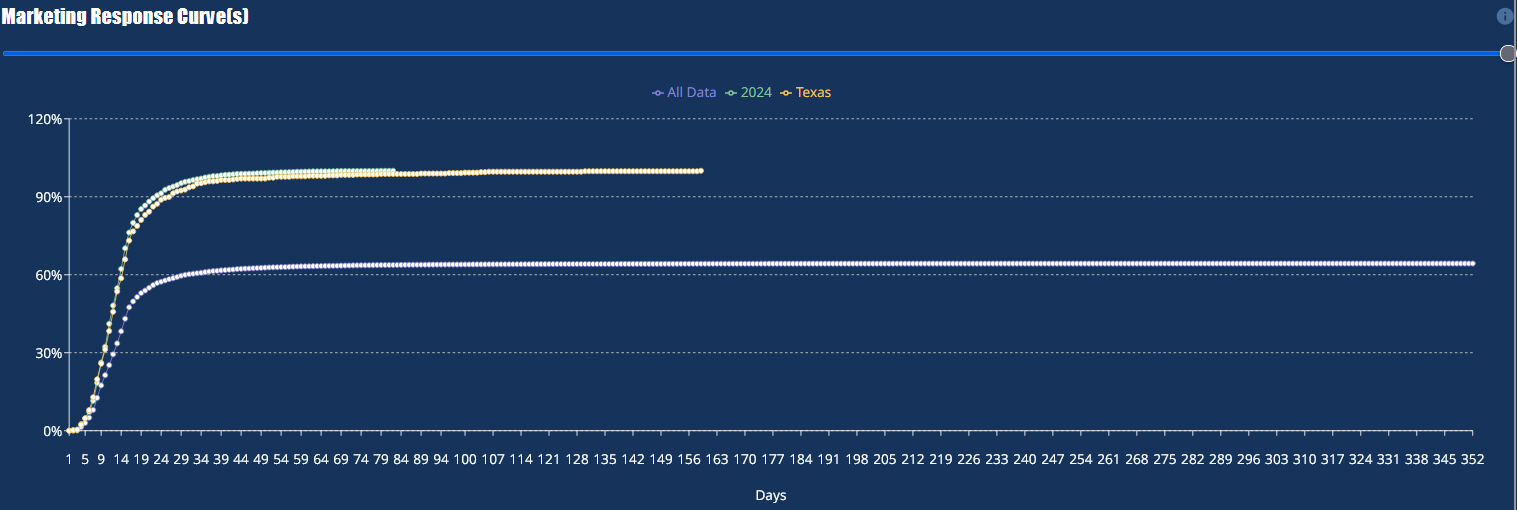 Step 3: Build Curves
Generate Marketing Response Curves to see how response activity develops over time.
Compare curves side by side, identify differences in response timing, and explore patterns that can inform future campaigns and follow-up strategies.